


Marketplace enables ratings and reviews

Starting this week, people in Lawrence and its surrounding communities are now able to leave ratings and reviews on Lawrence Marketplace. Here are some FAQs about how these work:
What is Lawrence Marketplace?
LawrenceMarketplace.com is a local search directory with information, coupons, photos and videos on every business in Lawrence.
How do I leave a rating and/or review?
– Sign into Lawrence Marketplace with your LJWorld.com account — accounts from WellCommons.com, Lawrence.com and/or KUSports.com will work, too. If you don’t have an account, sign up here.
– Find the business on Lawrence Marketplace by searching with key words and/or categories.
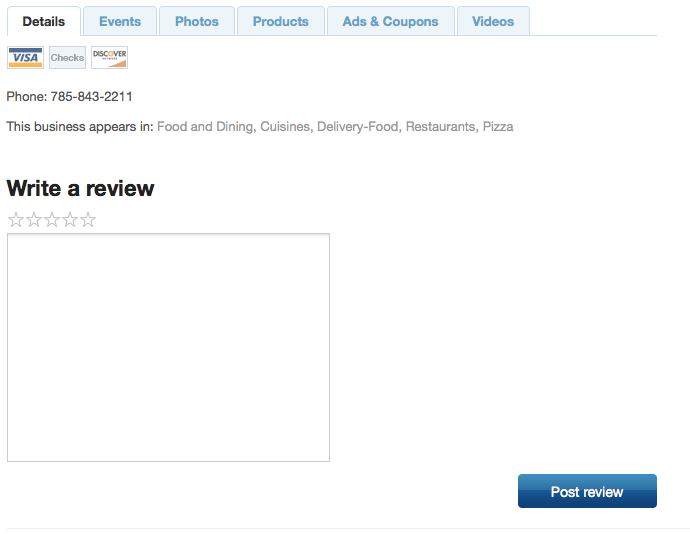
– Select a star rating of 1-5 and then write a review of your experience.
– Click “Post review.”
The form to post looks like this:
How do I look at reviews?
You can see reviews on the business profile page or under the “Reviews” section. The latest reviews posted to the site are also displayed in the right-hand column of the home page. Also, once businesses have accumulated reviews, you will be able to sort search results to see the most-reviewed businesses, the best-reviewed businesses and the most recently reviewed businesses.
Why are you adding reviews?
Ratings and reviews are valuable for many reasons, the first being they allow potential customers to make informed choices on where they spend money based on peer reviews. Second, public reviews allow businesses the opportunity to identify strengths and weaknesses.
Will businesses be able to respond?
Yes. Businessiess are notified via email when they receive ratings and reviews. They are also able to respond to every review they receive.
Can businesses remove reviews from their page?
No. Businesses can only respond to reviews. They can only be removed by Lawrence Marketplace moderators.
What if a review is offensive, defamatory or libelous?
Reviews are subject to the same Terms of Service used on LJWorld.com. Any review that violates the Terms of Service will be removed by Adrian Jacobs, the Lawrence Marketplace moderator.
If you see a review that you believe violates the Terms of Service, click on “flag this review” and Adrian will be notified.
Questions or comments on how ratings and reviews work? Ask away in the comments and Adrian will answer them for you.